


Add Close-up Photos
Add Close-up Photos
1.Feature Description
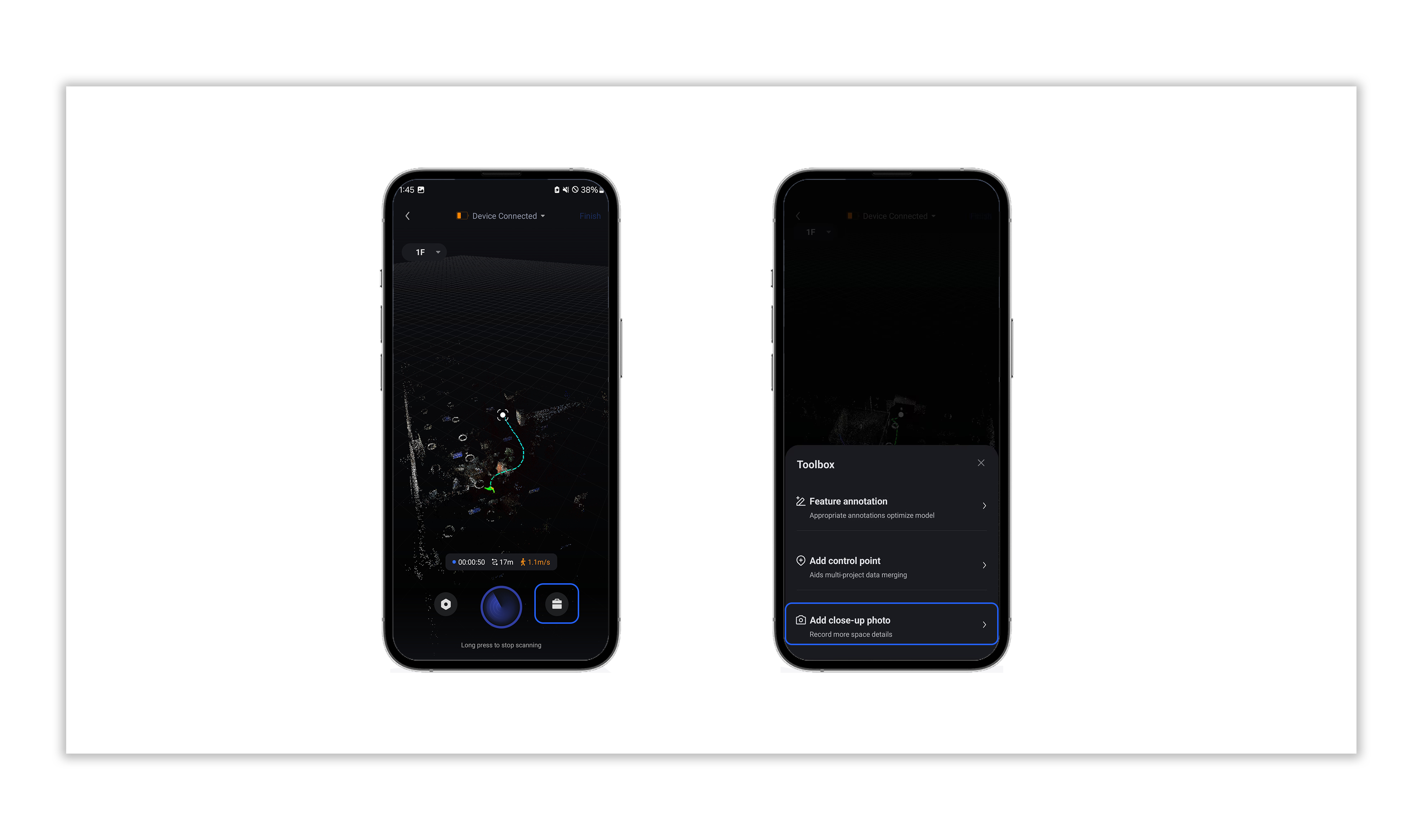
During the point cloud collection process, proper use of the <Add Close-up Photo> tool enables control of the <Poincaré Close-up Camera> to capture photo materials.
2. Feature Tutorial
2.1 Tap the <Toolbox> icon in the bottom right corner and select <Add Close-up Photo>;
2.2 Wait for the app to obtain the camera’s real-time preview frame, then tap the <Shoot> button to complete photo capture;
2.3 Tap <Add> to finish photo storage;
2.4 The location information of the captured photo will be recorded in the collection track in the form of a tag;
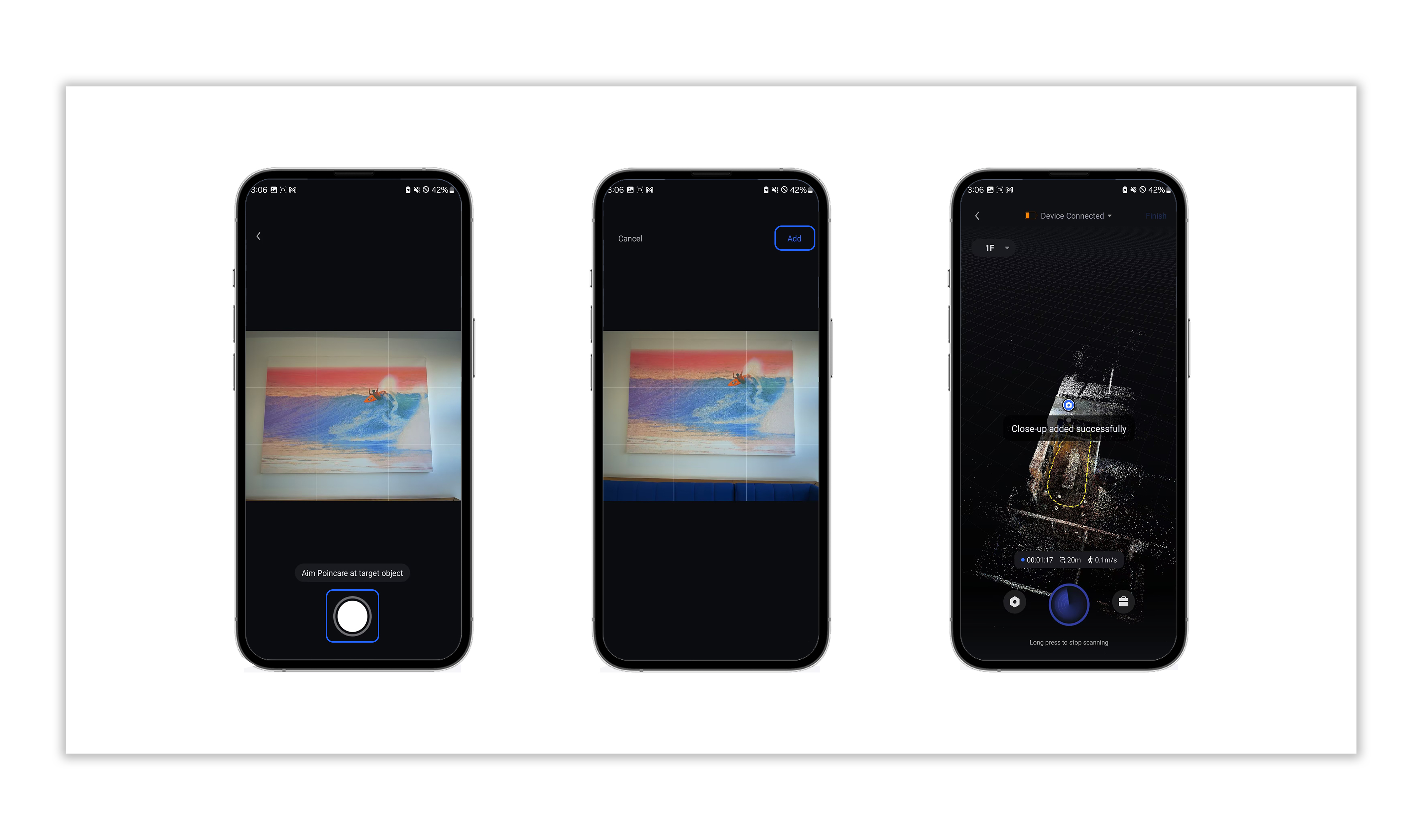
2.5 Tap the photo tag on the track to preview the photo.
Note: The previewed photo is in low-definition. After the project is processed, high-definition image materials will be available.
Was this article helpful?
YesNo