


How to Delete Your Realsee Account?
This guide is designed to assist users in securely deleting their Realsee accounts. Please note that account deletion is a sensitive operation; once completed, all associated data assets will be permanently inaccessible.
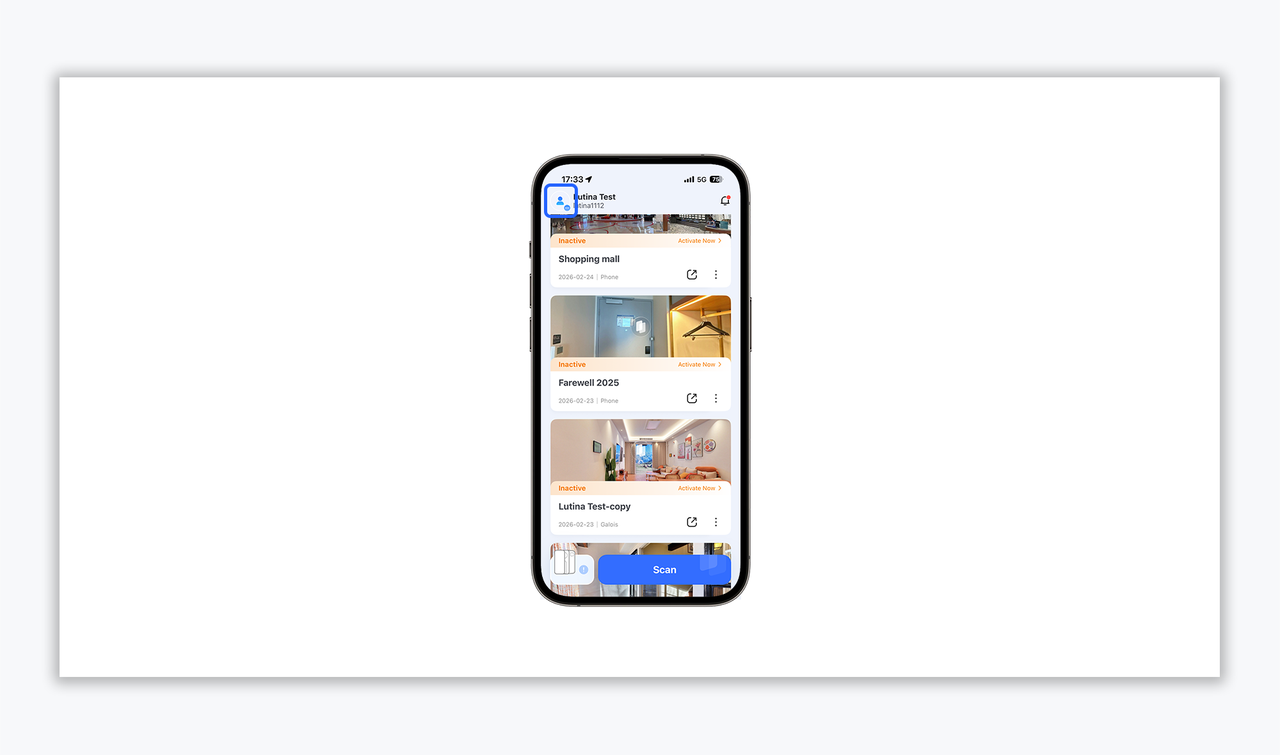
- After launching the Realsee app, tap the User Avatar icon in the top-left corner to enter the personal management interface.
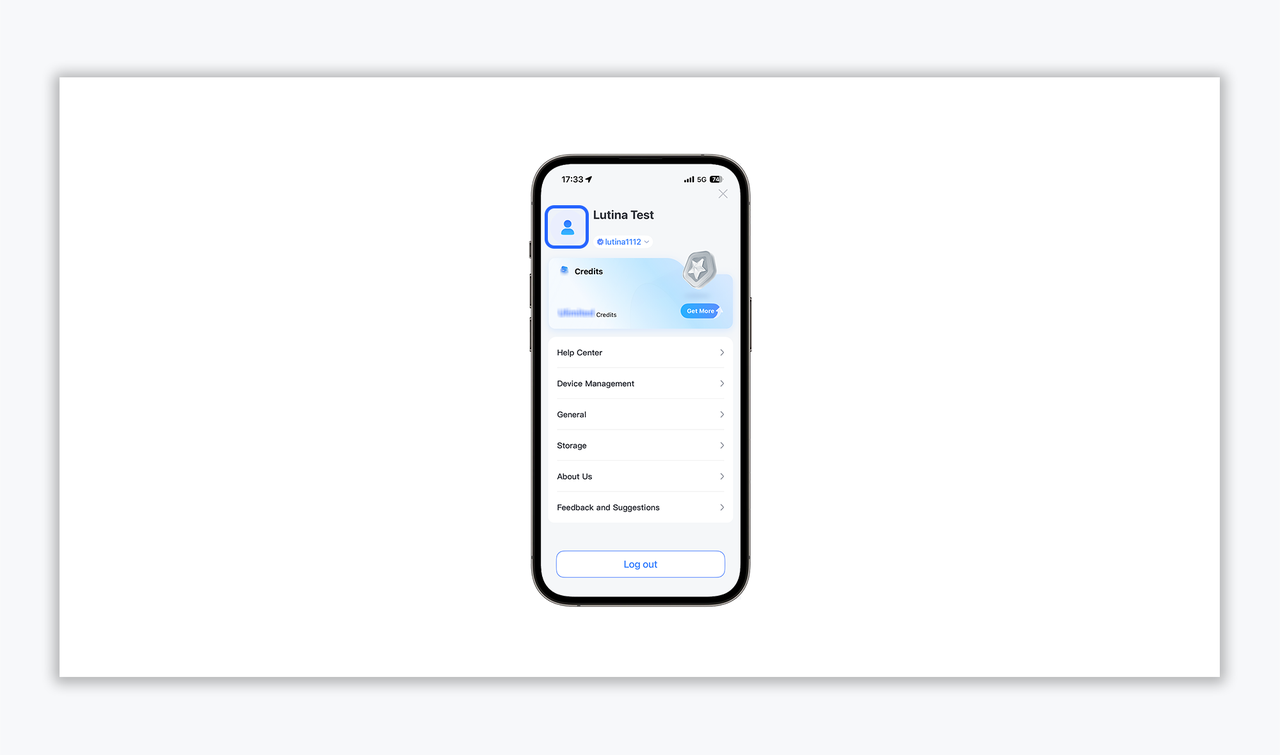
- On the Profile page, click the User Information section at the top to access the "Introduction" detail page.
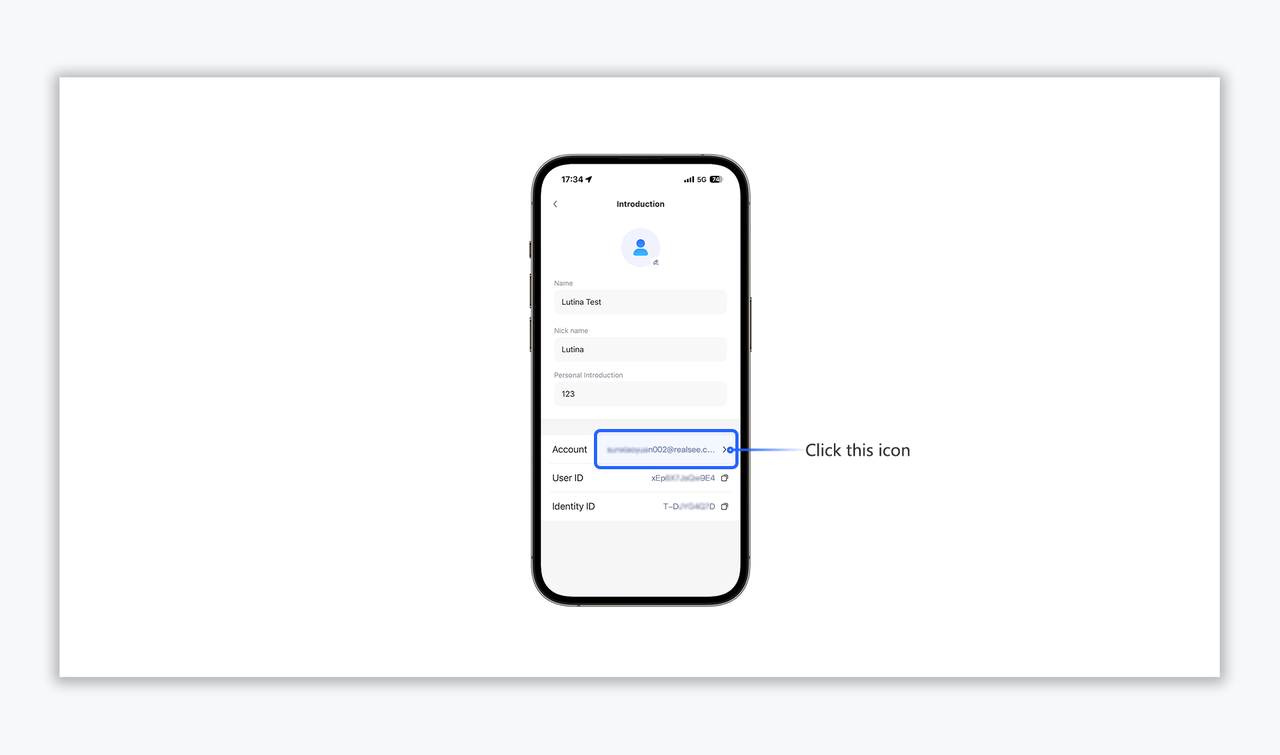
- Locate the "Account" field within the profile list and tap the corresponding arrow to enter the management page.
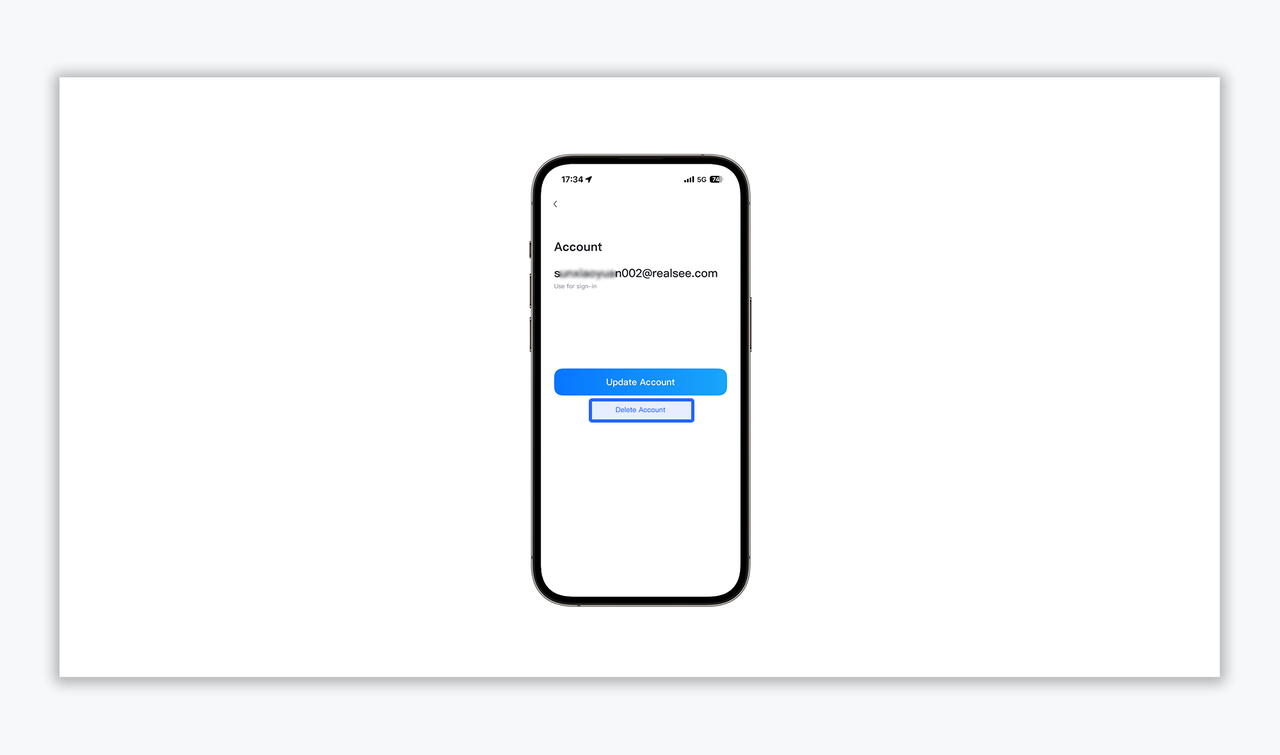
- At the bottom of the account management page, select "Delete Account".
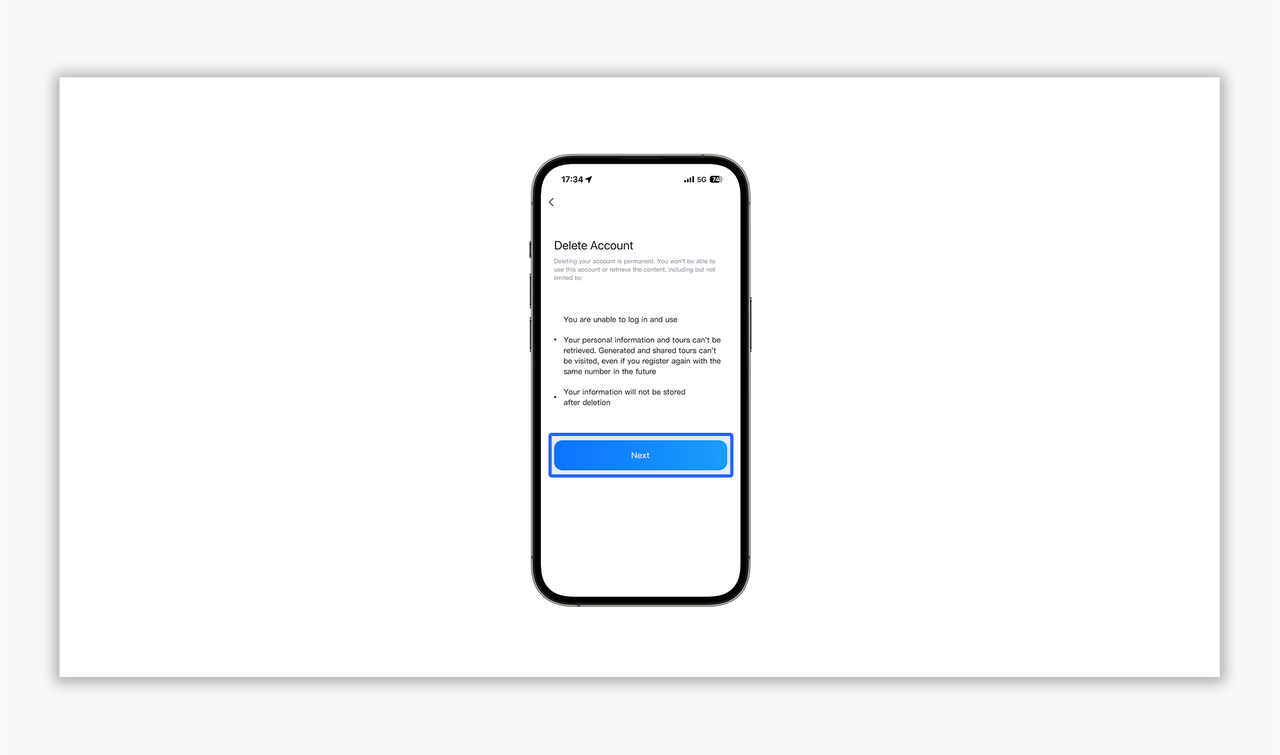
- Terms & Consequences Acknowledgment
Please carefully review the deletion terms.
Key consequences include:
- Permanent loss of login access.
- Irretrievable loss of all personal information and 3D digital assets (Tours).
- Complete cessation of data storage upon deletion.
- Click "Next" after confirming you understand these risks.
- Security Verification
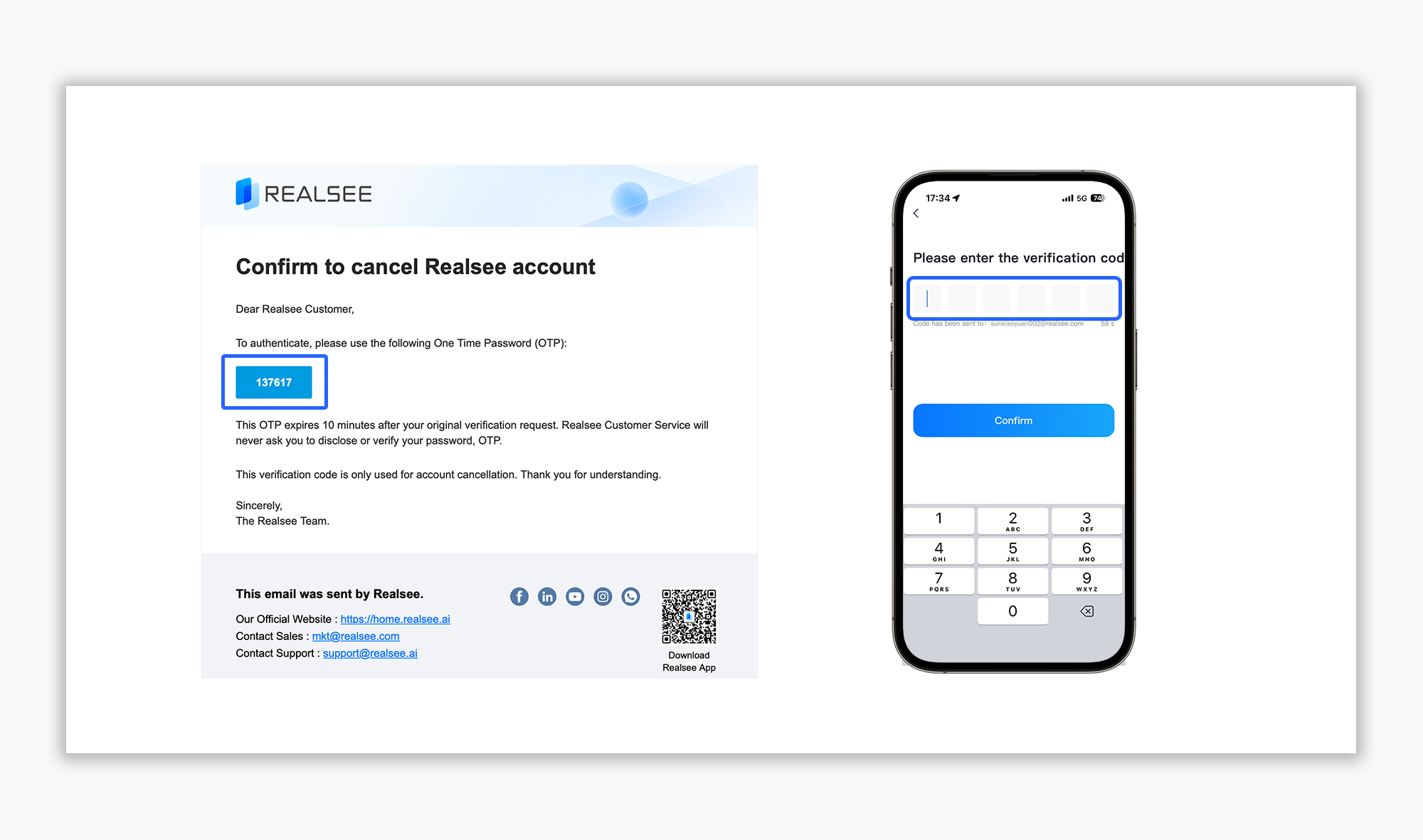
- OTP Retrieval: A 6-digit One Time Password (OTP) will be sent to your registered email address.
- Verification: Enter the OTP within 10 minutes and click "Confirm" to finalize the process.
Please Note: Account deletion is a permanent and irreversible process. We strongly advise you to proceed with caution and ensure all critical data has been backed up.
Should you have any questions or require further assistance, please do not hesitate to contact our official support team(support@realsee.ai)
Was this article helpful?
YesNo